App Store Connect analytics without the mess.
A focused Mac workspace for app performance, custom charts, and portfolio comparison.

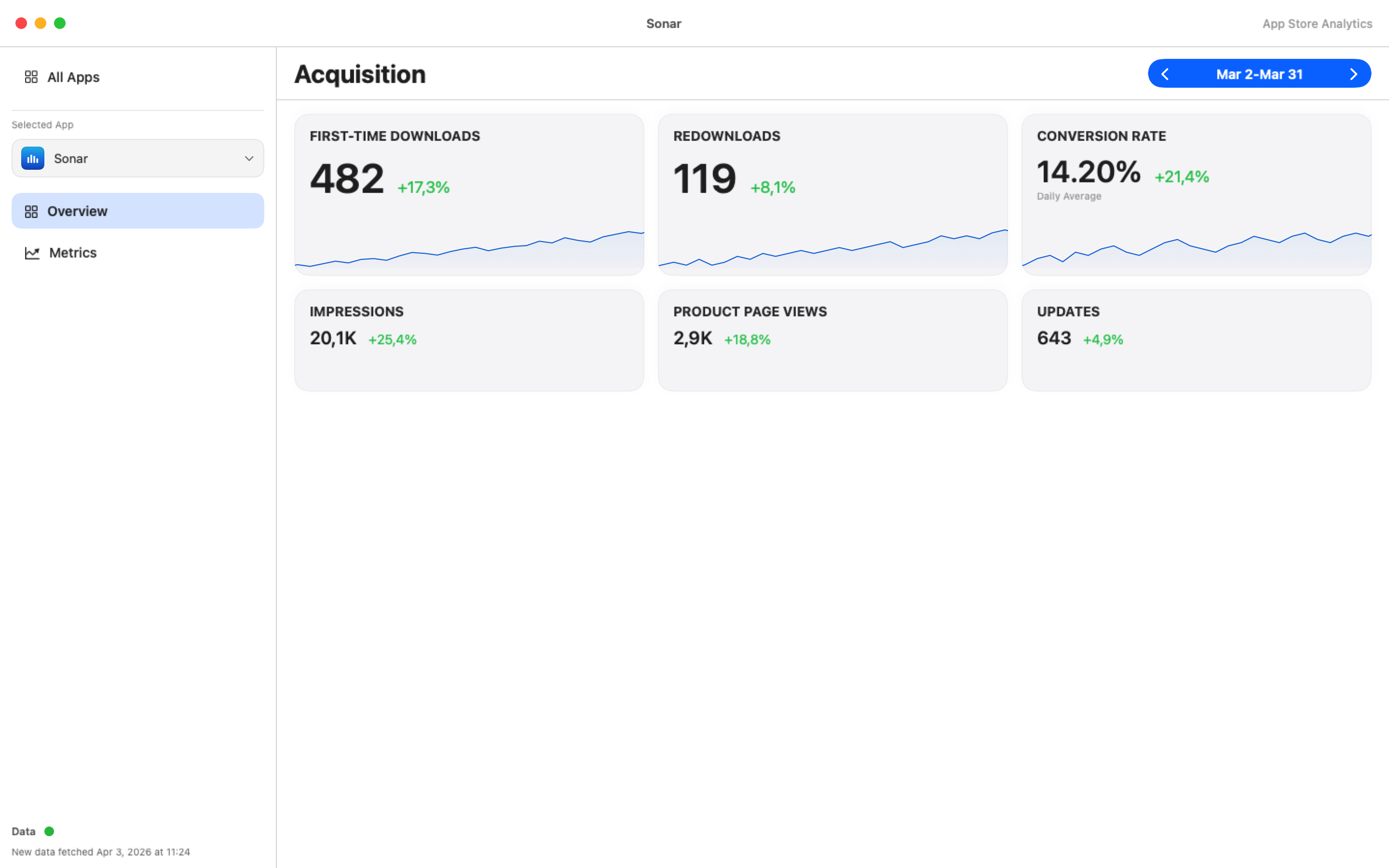
Private by design.
-
Straight from Apple
Your App Store Connect data goes from Apple straight to your Mac.
-
No Sonar server
Your API key stays in the Keychain and your reports stay on your Mac. I never get a copy.
-
Only if you allow it
Usage statistics and crash reports are sent only if you allow them.
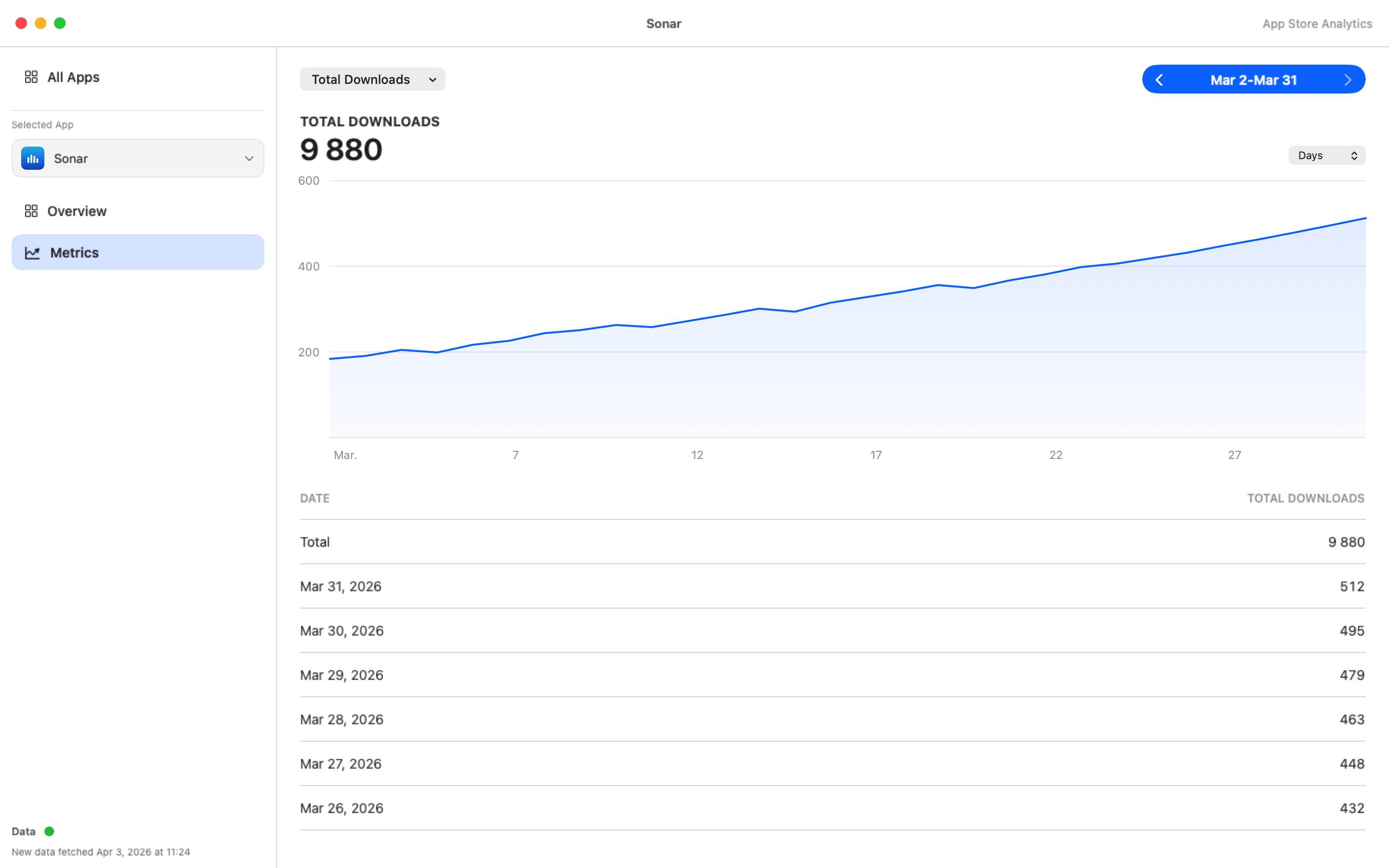
Custom charts without exports.
Switch the metric and see the trend plus daily values instantly.
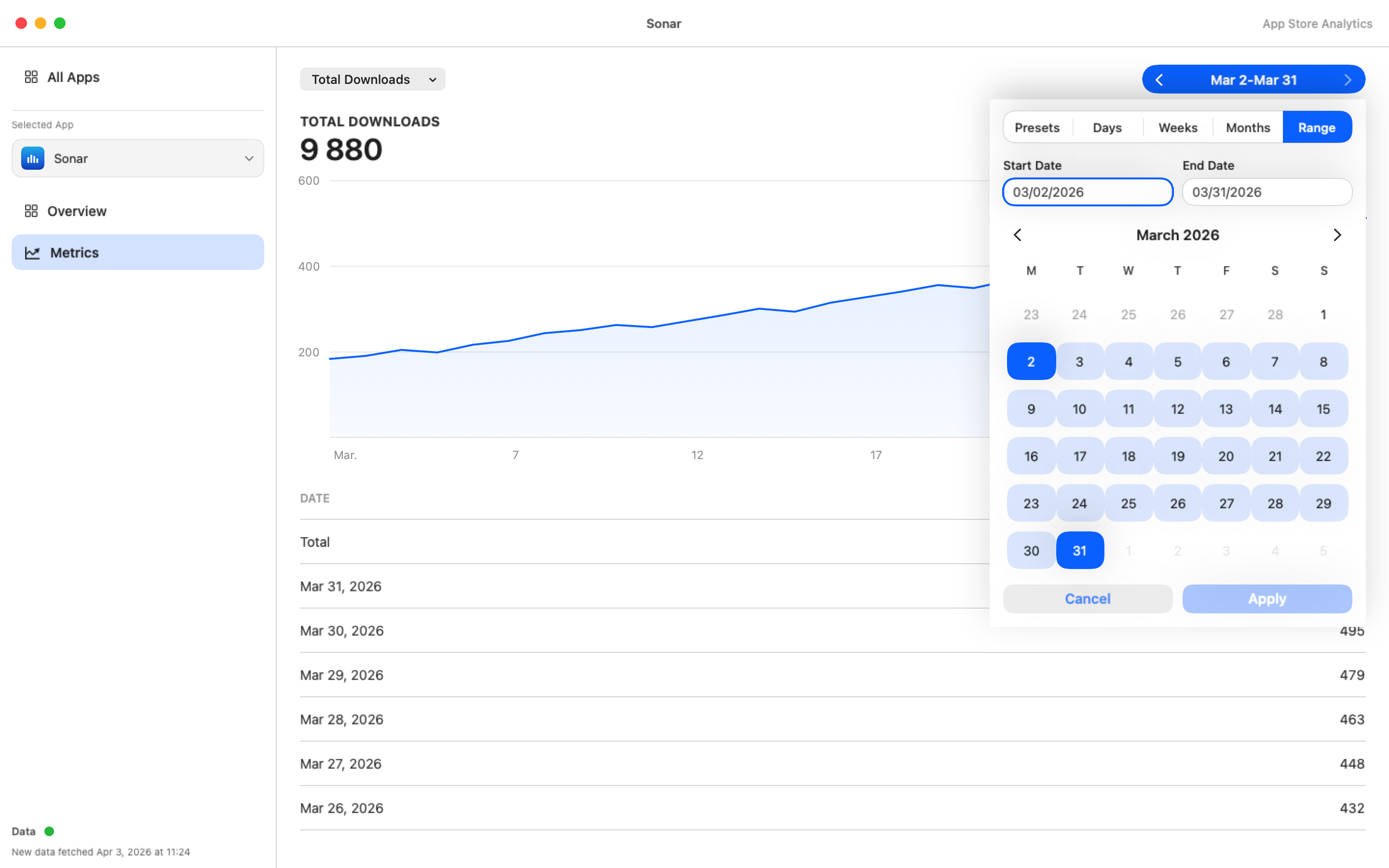
Fast date ranges.
Presets and custom windows explain spikes after a release or campaign.
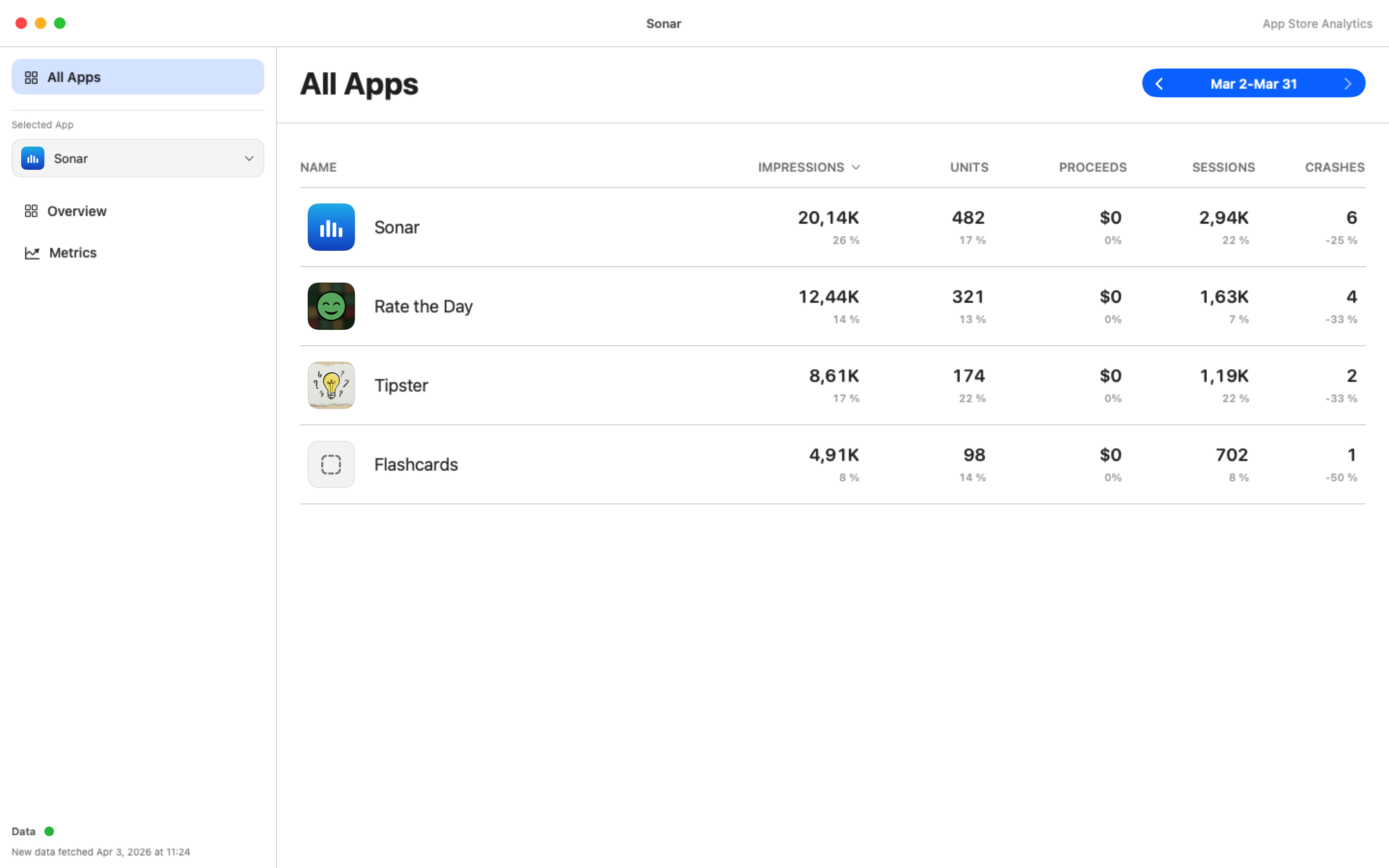
Your full portfolio in one place.
See which app needs attention in seconds.
Free for one app. Sonar Pro for all of them.
-
Free
$0
no subscription
One app and the last 30 days of analytics.
-
Sonar Pro
$4.99 / month
or $39.99 / year
All your apps, longer history and premium date controls.
Sonar Pro is a subscription you buy and manage in the App Store. Prices vary by country; the App Store shows yours.
What you need.
- A Mac with macOS 26.1 or later.
- An App Store Connect API key with the Admin role. The FAQ below explains why Admin.
- No key yet? Try Demo Mode with sample data, no account needed.
- Apple prepares the first reports 1-2 days after you connect, then updates them daily.
- Sonar is in English.
Questions about data and privacy.
Where is my App Store Connect key stored?
In the macOS Keychain on your Mac, together with the issuer ID and key ID. Sonar uses the private key locally to sign short-lived tokens for Apple’s API. The private key itself is never sent anywhere, not even to Apple, and there is no Sonar server.
Why does Sonar need an Admin key?
Apple only allows Admin keys to create Analytics Report requests. Finance and Sales and Reports keys can only download reports that already exist. Sonar creates the requests the first time you connect. You can revoke the key at any time in App Store Connect → Users and Access → Integrations.
Does my App Store Connect data leave my Mac?
Not to me or anyone else besides Apple. Sonar downloads the reports directly from Apple and keeps them in the app’s container on your Mac. I never receive a copy, and they are not part of usage statistics or crash reports.
Does Sonar use analytics, ads or tracking?
No ads and no tracking across apps or websites. Sonar includes Google Firebase Analytics and Crashlytics, but both are off until you allow them: Sonar asks once after setup (in Demo Mode it doesn’t ask and both stay off), and you can change your choice anytime in Settings → General → Privacy (Share usage statistics, Send crash reports).
If you allow them, they are tied only to a random install ID. Usage statistics never include App Store Connect data, API keys, key file names or app IDs. Crash reports contain the crash or error and where in the app it happened, your Mac model, the macOS and app version and the device state at that moment.
Besides Apple and these opt-in reports, Sonar talks to RevenueCat to check whether you have Sonar Pro. RevenueCat gets a random customer ID and your App Store purchase data, never your App Store Connect data. Version 1.0.0 collected usage statistics without asking; 1.0.1 fixed that.
Can I try it without connecting my account?
Yes. Choose Try Demo Mode on the first screen to explore Sonar with sample data.
How do I remove my data?
Settings → Connection → Remove Connection deletes the key and token from the Keychain. Downloaded reports stay in Sonar’s folder ~/Library/Containers/com.michalcerny.sonar until you quit Sonar and delete that folder. Remove the connection before you delete the app: deleting the app may leave the Keychain items and that folder on your Mac.
Usage statistics and crash reports are deleted when their retention period ends (see the privacy policy). For purchase records, email me.
Why do the numbers differ from App Store Connect?
Sonar shows Apple’s Analytics Reports. Sales reports count units differently and usually come out higher, and in some metrics Apple only includes users who share analytics with developers. Fresh data arrives once a day, and the first reports take 1-2 days.
Support
Questions or feedback? Reach me anytime.
[email protected] Privacy policy